
Special Features
Digital Postcode: How to check your address, correct errors online

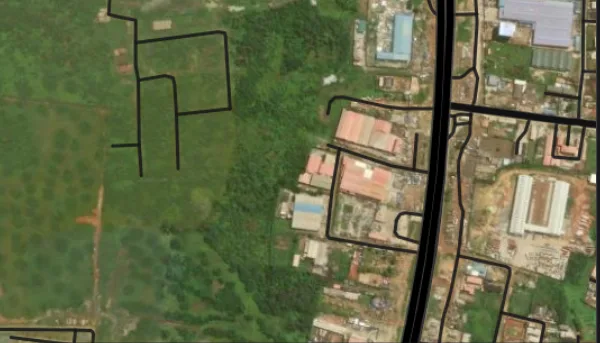
Nigerians can now check their home addresses and obtain digital postcodes through the Federal Government’s National Digital Alphanumeric Postcode System, introduced through the Nigerian Postal Service (NIPOST).
The system, reportedly launched nationwide on October 1, 2026, assigns an 11-character alphanumeric code to each addressable building to make locations easier to identify, verify and share.
The platform allows users to search for locations using street addresses, place names, postcodes and aliases. Some records also contain property descriptions that include homeowners’ names, particularly where residents commonly use such names to identify buildings.
The digital postcode system is expected to improve address identification and support services such as mail delivery, logistics, emergency response and public service delivery.
Here is how to find your digital postcode and check the address information associated with your building.
1. Visit the Official NIPOST Postcode Website
Visit the official National Digital Alphanumeric Postcode System website at postcode.gov.ng and select the “Find my postcode” option.
Users can also check the website for information about the NIPOST Postcode mobile application. According to the information provided, the Android application is available on Google Play, while the iOS version is listed as coming soon.
2. Search for Your Home Address
Enter your house number, street name, neighbourhood or another relevant location detail in the search field.
Depending on the available records, you may also search using a place name, postcode or alias.
Select the result that matches your address and examine the map to confirm that it points to the correct building.
Check nearby roads, neighbouring properties and recognisable landmarks before accepting the result. This is important because buildings located close to one another may have different digital postcodes.
3. Check Whether Your Name Appears in the Address Records
Some property records may include homeowners’ names because such names were captured as part of the informal descriptions residents use to identify buildings.
NIPOST Postmaster-General, Tola Odeyemi, reportedly explained that officials collected both formal and informal building addresses during field data gathering.
“During ground data collection, we collected standard or informal addresses of buildings,” she said, according to a report by TheCable.
In communities where buildings do not have clearly defined street names or house numbers, residents may identify properties by the names of their owners.
To check whether your name appears, examine the address description attached to your building. You can also search for your name if it is commonly used to identify the property.
However, a failed search for your name does not necessarily mean your building is missing from the system. The digital postcode is assigned to the building or addressable location, not to its owner or occupants.
4. Use Your Phone’s Location Feature to Find Your Building
If you are at or near your home, your phone’s location service may help you identify the correct building on the map.
Enable your phone’s location service and grant the application permission to access your location if prompted.
Select the “Find My Postcode” option to display your position and nearby mapped buildings.
Identify your building on the map and select it to retrieve the corresponding digital postcode.
Before saving or sharing the code, ensure that you have selected the correct building. Neighbouring properties may have separate postcodes.
5. Report Incorrect Details or Request a Missing Postcode
If the platform displays incorrect information about your building, use the available correction feature to suggest an update.
Where a building does not have a postcode, users can request one through the website or application by providing the relevant address details and location information.
A Google Maps link may also help identify the property and guide officials to its location.
NIPOST reviews requests for missing postcodes and proposed corrections before updating its records. Submitting a request does not necessarily mean the change will appear immediately.
6. Understand What the Digital Postcode Represents
The digital postcode identifies a building or addressable location rather than an individual resident.
Consequently, people living in the same building can use the same digital postcode alongside their regular written address.
Anyone who moves to another building will need to use the postcode assigned to the new location.
The system is designed to make addresses easier to identify and could support improved mail delivery, logistics operations, emergency response and the delivery of public services.
According to information provided on the official platform, finding, saving and sharing a digital postcode is free.
Residents are advised to verify that the building displayed on the map matches their intended address before using or sharing its postcode.


 Follow Us on Google Discover

Shell exits Nigeria gas distribution business in deal with Vaaris Energy

Tinubu seeks Senate’s approval of five bills on drug enforcement, safety, others

Osimhen, Lookman face Champions League tests against Barcelona, Man United

Digital Postcode: How to check your address, correct errors online

Reps back PINL contract renewal, seek dismissal of petition over lack of evidence

Ogun State: List of LGAs, population, land mass, government, other key facts

NAFDAC busts fake alcoholic, energy drinks factory in Lagos, arrests two suspects

Ekiti State: List of LGAs, population, land mass, government, other key facts

2027 Grammy awards: Davido submits ‘Oriade’ album, multiple entries

N101m Defamation Case: Court faults SERAP Lawyer’s application, orders reassignment

Obafemi Awolowo University (OAU) opens 51 non-academic job vacancies in healthcare, other sectors – Apply Now

Obafemi Awolowo University (OAU) opens academic staff recruitment across 130 department, reveals salary structure (Apply Now)

Ondo crash: N’Assembly seeks NAF aircraft audit, probe of maintenance funds

JUST IN: Former Imo gov Okorocha released after detention

BREAKING: Court of Appeal bars UN Rapporteurs, Columbia University from SERAP-DSS case

Dangote Group opens 86 vacancies in Engineering, Finance, Logistics, HR, other fields

ECOWAS Bank opens applications for 2026 Young Professionals Programme
BREAKING: Police arrest former Imo governor Rochas Okorocha in Abuja

BREAKING: APC revises Tinubu Campaign Council, names Wike, Adeleke, Soludo as FCT, Rivers, Osun, Anambra coordinators (Full List)

Christopher University announces staff recruitment for academic, administrative positions

INEC names Tinubu, Atiku, Obi, 15 others in 2027 presidential race (Full List)

Names of 68 lawyers elevated to SAN rank (Full list)

Amnesty International raises alarm, urges Wike to halt Maitama demolitions

2027: Obi is a ‘packaged fraud’, he’s secretly working for Atiku, positioning himself to become SGF – Sowere alleges

Latest World Bank report proves our reforms are working – Tinubu

Ex-Akwa Ibom University SUG President dies at Enugu NYSC camp

INEC disowns fake notice on six states as parties seek candidates’ inclusion

JUST IN: Segun Ogunwuyi steps down as Makinde’s chief of staff

2027: Economic hardship, appointments threaten Tinubu’s support in Northern Nigeria
